
Which batches have no date
Most of what Datima tracks is dated: yogurt, supplements, sunscreen, coffee. But a store rarely sells only that. The olive oil sits next to the ceramic bowl it is served in; the beans next to the grinder; the dog food next to the leash. Merchants with a mixed range told us they still want the second kind under batch control — which delivery is on the shelf, how many of it are left, which lot a complaint traces back to — without inventing a date that does not exist.
So the rule for a batch is: a quantity, and either an expiry date or a lot code. One of the two names the batch; both together is the usual case for dated goods; neither is refused — A batch needs either an expiry date or a lot code. A batch recorded with a lot code and no date is an undated batch: it is counted, deducted and corrected like any other, and it never raises an expiry alarm.
Add one
Open Products, find the product and press Add batch — on its row or on its own page. Leave Expiry date empty; the hint under the field says Leave it empty for a batch tracked by its lot code only. Type the Lot code and the Quantity, and save. Bin, received date and note work as they always did.
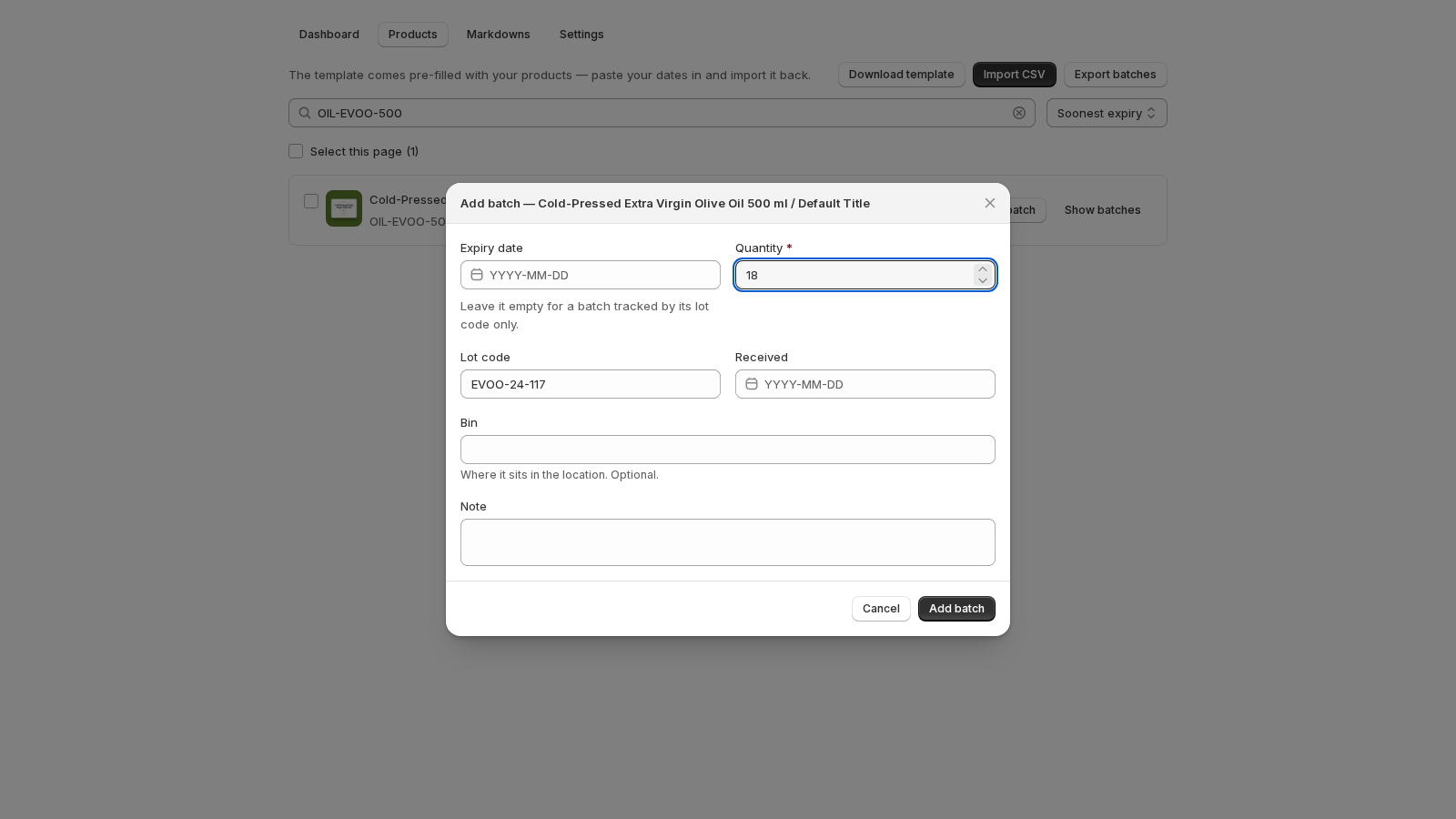
If it is the first batch in your store, the success step reads … · 18 units · no expiry date and says what that means: the batch sits in no at-risk card, and its units come off in arrival order, after any dated batch.
One product, both kinds
A product can hold both kinds at once: two dated batches of olive oil from the spring pressing, and a third that arrived with a lot number and no printed date. On a sale, Datima still takes from the batch that expires first. Dated batches go first, soonest date first. Undated batches are only drawn down once every dated batch of that product is empty, and among themselves in the order they were recorded. Refunds go back to the batch they came from, as before — the FEFO guide has the whole sequence.
Where it shows
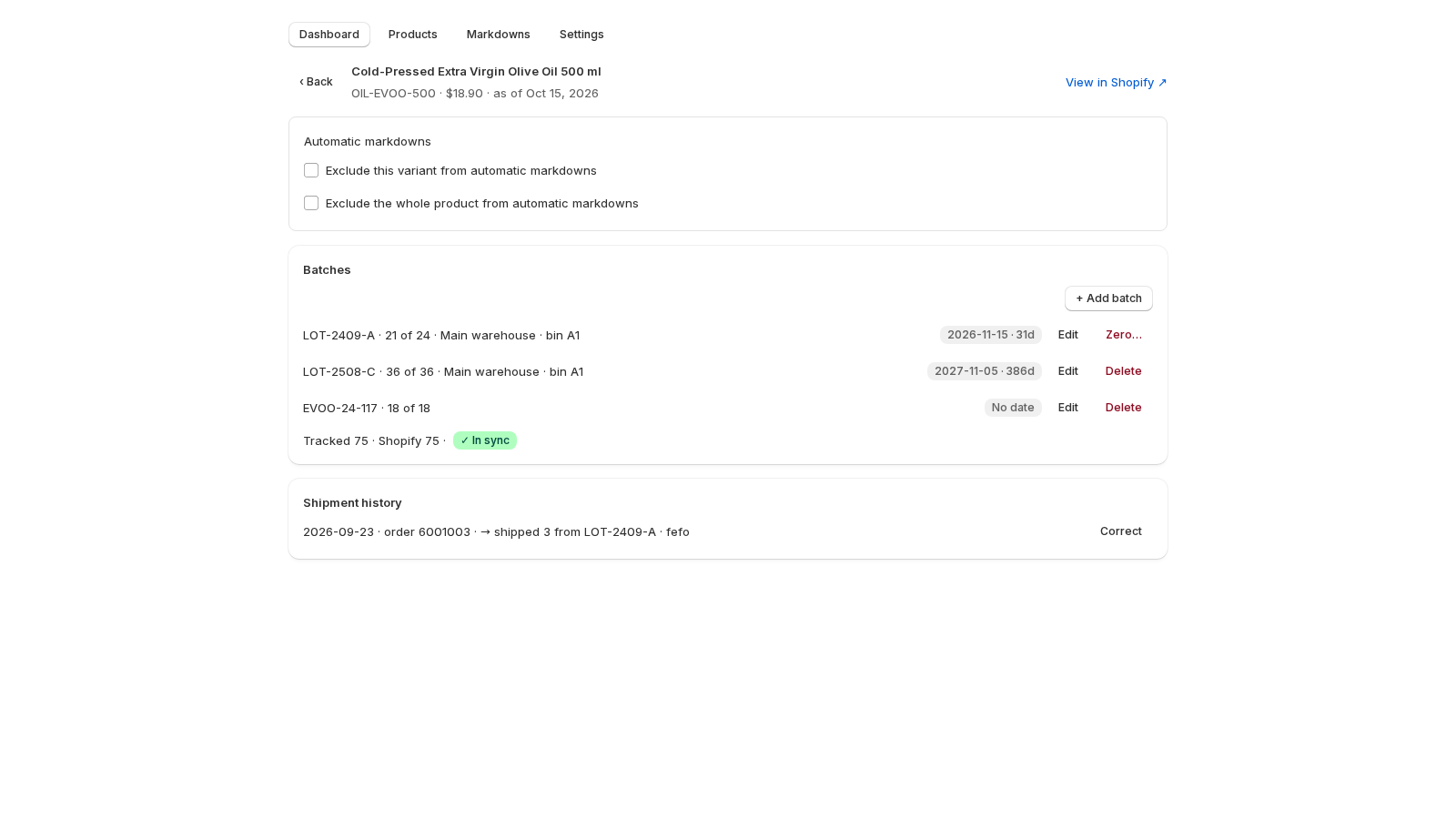
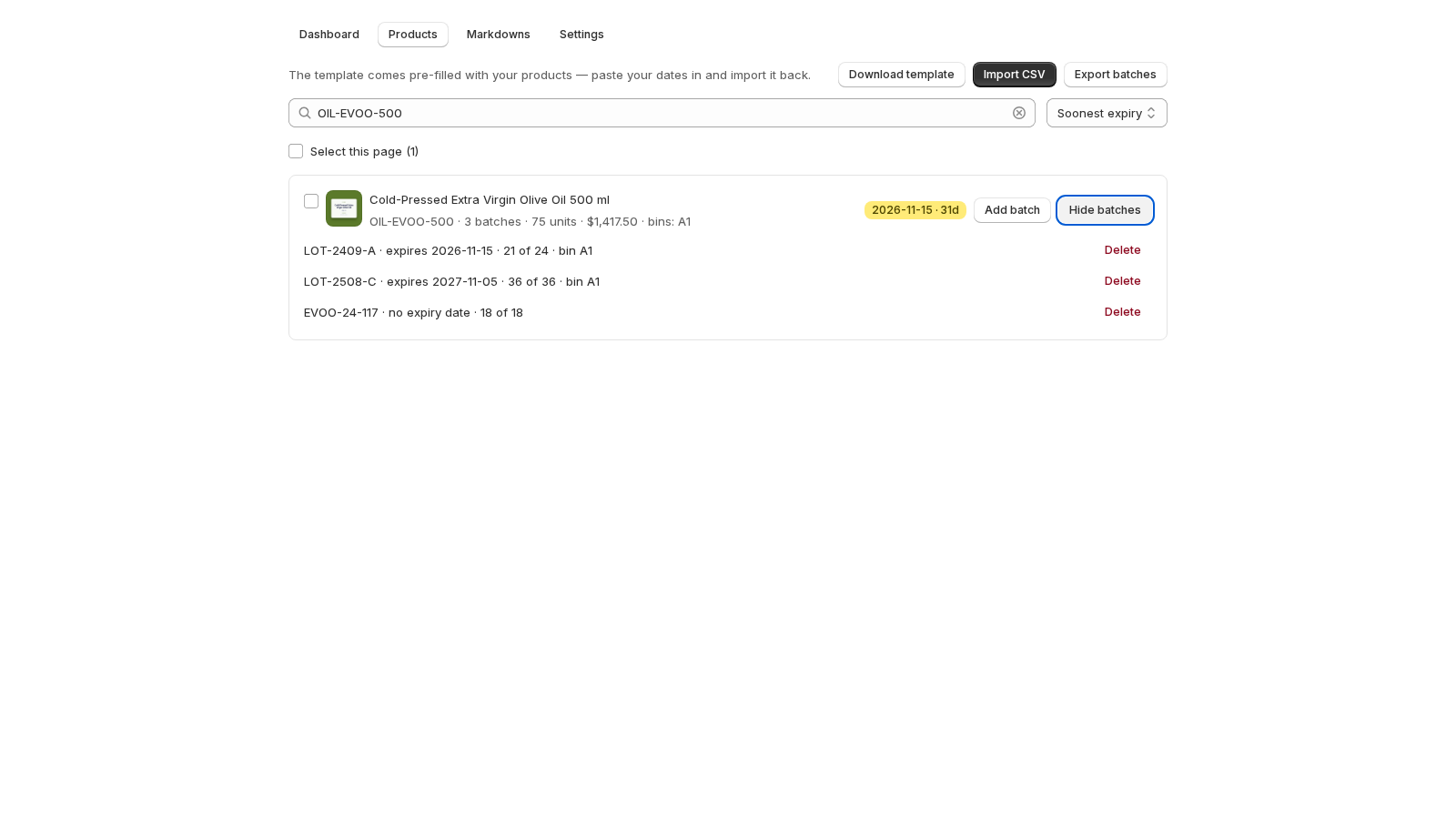
In the product list, the row's badge is still the product's soonest date. A product whose only batches are undated reads No date — which is different from Not set, the badge of a product with no batch at all. Open Show batches and each undated line reads no expiry date where the others show theirs.
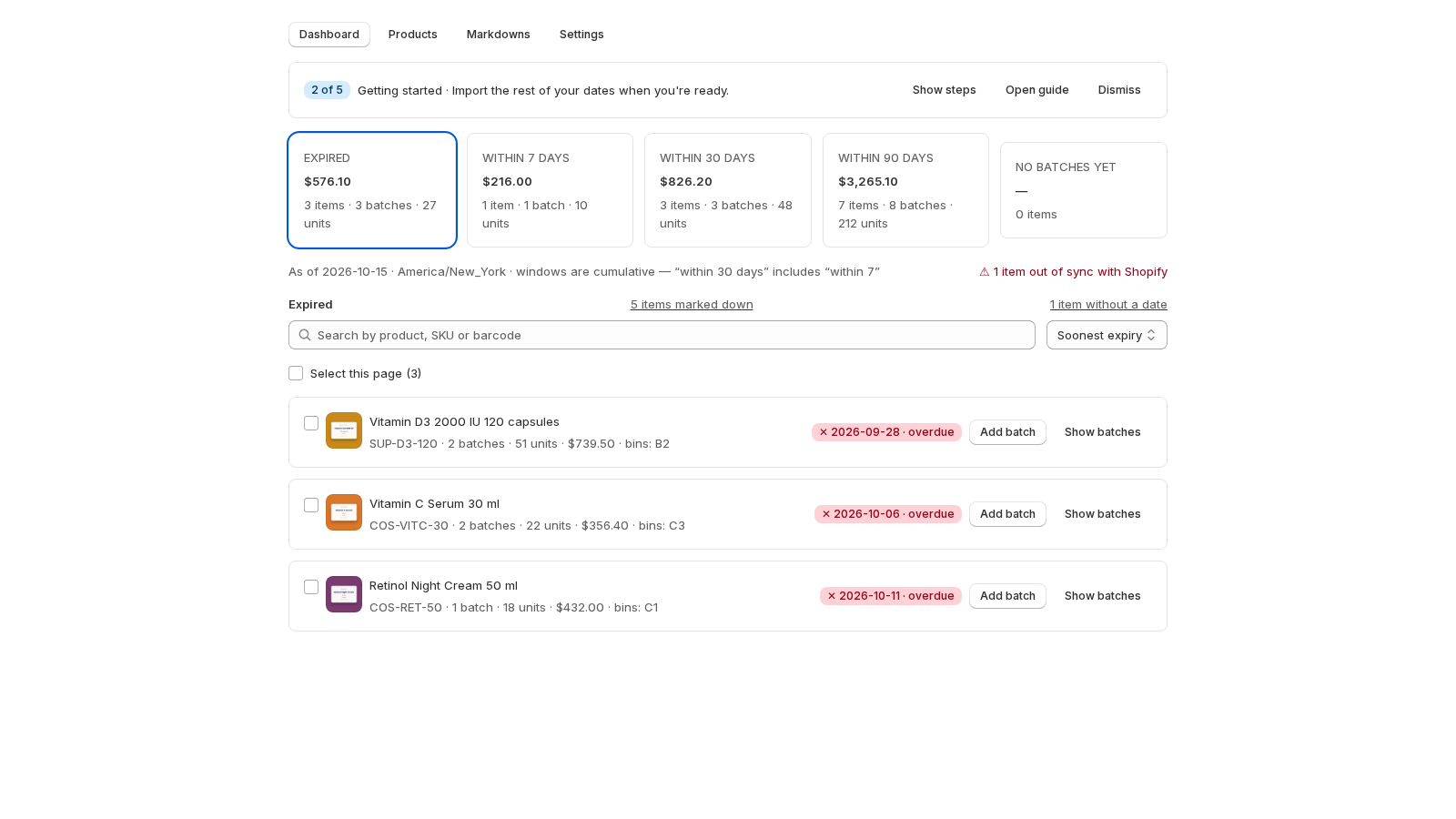
On the dashboard, the five cards are about dated stock and an undated batch sits in none of them. It is counted on its own line beside the list heading — 1 item without a date — which counts the products holding at least one undated batch with stock. Click the line and the list shows those products; click again to clear, exactly as a card does. The fifth card is No batches yet: products in your catalog with no batch of any kind, dated or not. (It used to be called No expiry date; the words now mean something else.)
What stays dated-only
Everything that reasons about a date keeps ignoring batches that have none. That is the point: the dated half of your range stays exactly as sharp.
- The cards and the digest. No window, no Expired, no line in the weekly email.
- Automatic markdowns. A product's tier comes from its earliest dated batch; an undated batch is never marked down and never puts a product in the preview. (How markdowns work.)
- The best-before block. It shows the earliest date among the dated batches. A product with only undated batches shows nothing on the storefront. (The theme block.)
- Write off. The button appears on a batch past its date; an undated batch is never past its date. Use Zero… or Delete when it is gone. (Write off.)
- The bulk bar. Shift dates by… leaves undated batches alone — there is nothing to shift; Set expiry date dates them like any other. (Bulk edit.)
CSV import and export
In the import template, fill lot_code and quantity and leave expiry_date empty; the row imports as an undated batch. A row with neither a date nor a lot code fails the review with one of 'expiry_date' or 'lot_code' is required, like any other row the app cannot read — the rest of the file still imports, and the failed rows come back in a file of the same shape. The template keeps both columns. The export writes an empty expiry_date cell for an undated batch, so a file that goes out and comes back changes nothing.
| Row | expiry_date | lot_code | Result |
|---|---|---|---|
| dated | 2027-03-14 | A3155 or empty | a dated batch, as always |
| undated | empty | EVOO-24-117 | an undated batch, shown as No date |
| neither | empty | empty | refused: one of 'expiry_date' or 'lot_code' is required |
Add or remove a date later
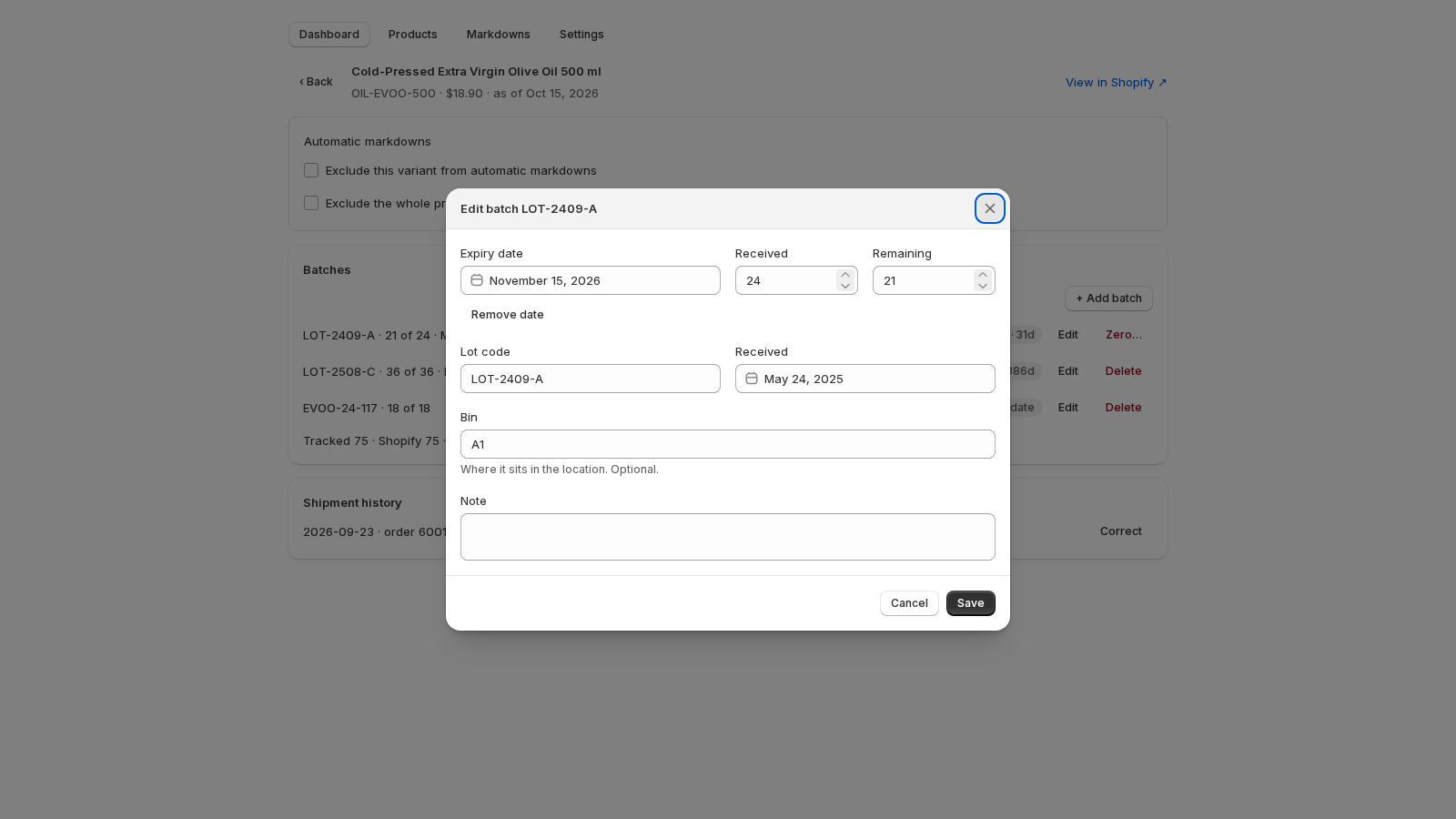
Open the batch with Edit. Pick a date and the batch moves into the windows and into the deduction order by date. To take a date off, press Remove date under the field — the calendar itself has no way to clear a day — and save; the batch needs a lot code to be saved without a date, and the form says so if it has neither: A quantity and either an expiry date or a lot code are required.
Related guides
- Batches: record an expiry date, a quantity and where it sits
- CSV import and export: your whole catalog in one spreadsheet
- What happens on a sale: first expired, first out
- The dashboard: what expires, when, and what it is worth
- Bulk edit: one date for many products
Questions? support@datima.ai · Last updated 15 October 2026