
What arrives
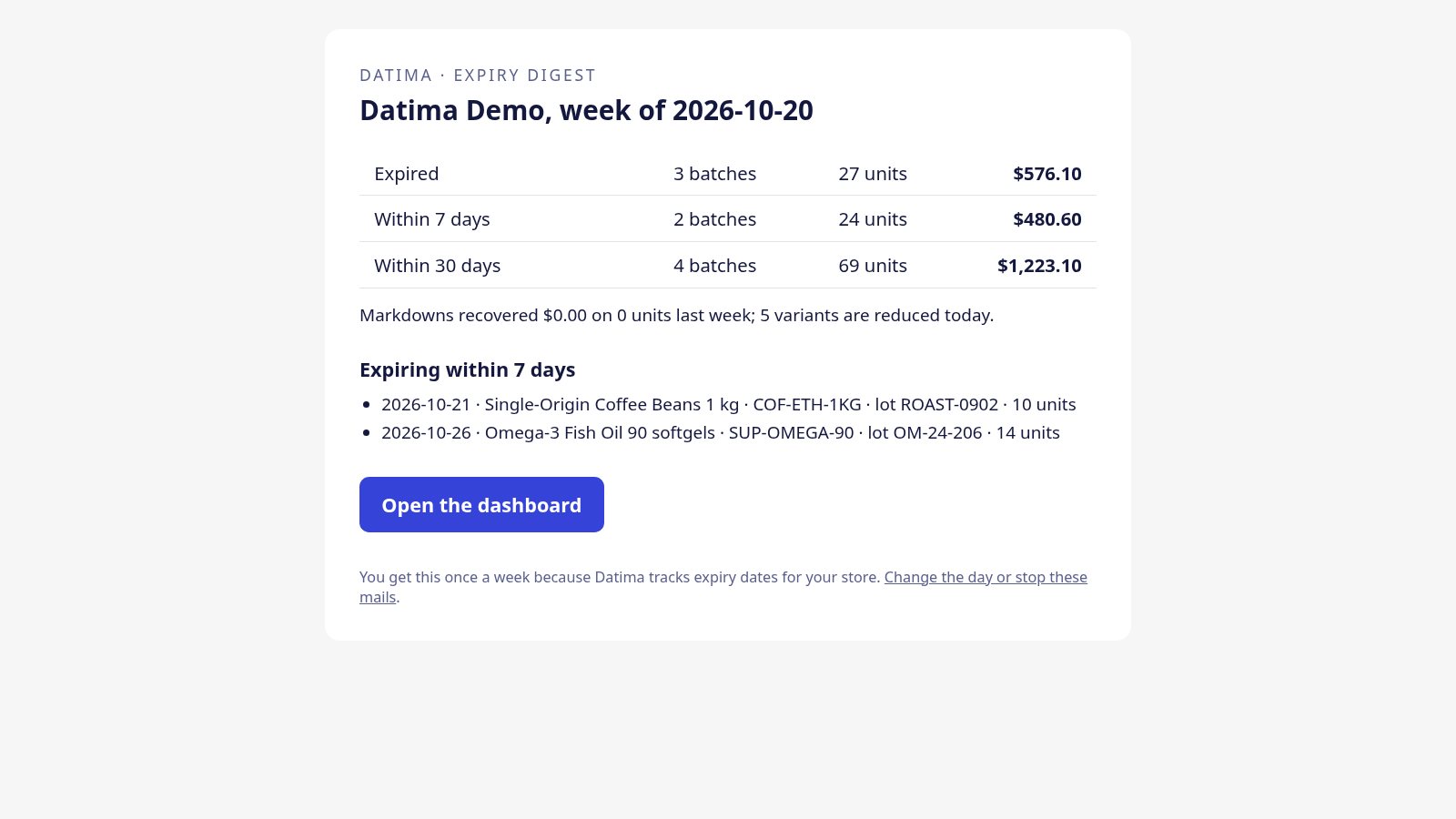
One email a week, to the store's contact address, with the subject Your store: your expiry week ahead — 18 units expire within 7 days. Inside:
- Three lines — Expired, Within 7 days, Within 30 days — each with the number of batches, the units and their value at your prices, the same figures as the dashboard cards.
- Expiring within 7 days: the ten batches to act on first, soonest date first, with the product, the lot code, the units left and the date. Or Nothing expires within 7 days.
- When automatic markdowns are on: how many variants are reduced today, and what the markdowns recovered last week — Markdowns recovered $212 on 31 units last week.
- A button to open the dashboard, and a link to change the day or stop the mails.
Weeks with nothing expiring send nothing. If nothing has expired and nothing expires within 30 days, there is no mail that week; the digest is a signal, not a newsletter.
When it is sent
The digest is on from the day you install, on Mondays at 08:00 in your store's time zone. It goes out once per week at most: if the app was down at the hour, the mail goes when it is back, never twice.
Change the day, the time, or stop it
Open Settings; the Email alerts card has three controls:
- Send the weekly expiry digest — the on/off box.
- Day — any weekday.
- Time (store timezone) — the hour.
The card also shows Last digest sent 7 Oct 2026. Every mail carries a Change the day or stop these mails link that works without logging in: one click, and the page confirms Your store will no longer receive the weekly expiry digest. Turn it back on, or pick another day, under Settings in the app.
Language
The mail is written in the language of your Shopify admin the last time you opened the app — English, German, French or Spanish — with dates and money in that locale. Change the admin language, open the app once, and the next digest follows.
The only mail the app sends
Datima sends no other email to a store: no marketing, no tips, no product news. The digest is the one message, and it stops the moment you say so.
Related guides
- The dashboard: what expires, when, and what it is worth
- Automatic markdowns: prices that follow the batch
- Getting started: the five-minute path
Questions? support@datima.ai · Last updated 14 October 2026