
How it works
A markdown follows the batch, not the product. For every variant, the earliest unexpired batch with stock decides the tier: within 30 days of its date, 10 % off; within 14, 25 %; within 7, 40 % — the defaults, and yours to change. Always off the regular price, never compounded; the nearest step wins. When that batch sells out the next batch decides, or the price goes back to normal. When the batch is written off, the price goes back the same way.
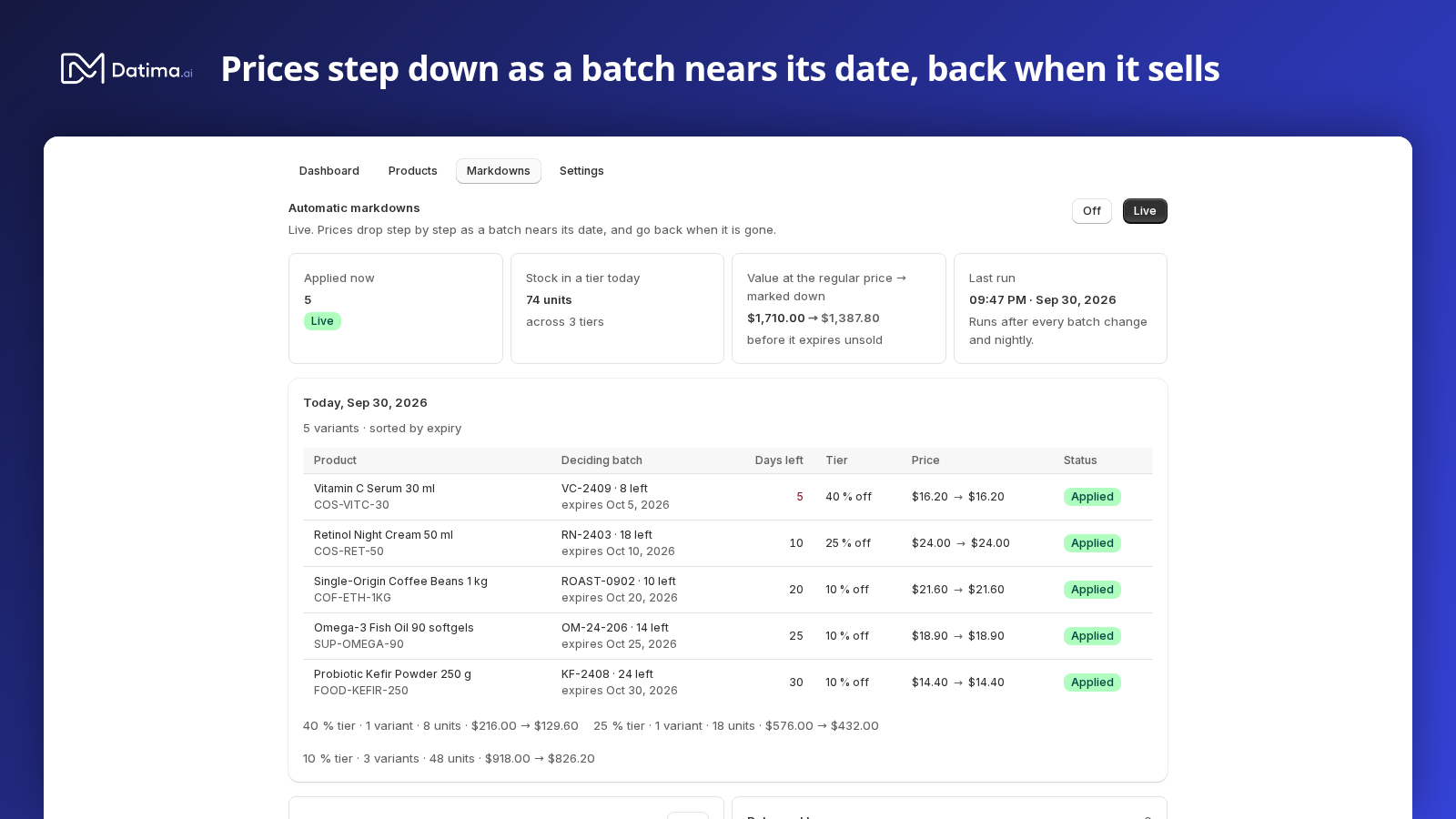
Two minutes of it in motion:
Opening it for your store
Markdowns are free and switched on per store. Until then the dashboard shows a card, Automatic markdowns · Pilot, with a Chat with us button that opens a conversation naming your store; we open the tab for you, usually within the hour. Nothing on your store changes at that point — the tab starts Off.
Off and Live
The tab has exactly two states, one control. Off: nothing is written to your store; the list shows what the rules would do today. Live: prices are written to Shopify and kept current — after every batch change and nightly. Either way you confirm first, and the dialog says how many prices it is about to change:
- Switch to live? — The 12 prices on this page change within minutes. Prices return to the regular price when each batch is sold or expired. You can go back at any time.
- Switch off? — The 12 prices the engine is holding return to the regular price within minutes. The rules and the list stay.
The rules
Press Edit on the Rules card.
- Ladder — one to five steps, each Days before expiry and % off. Each step must have fewer days and take more off than the one above. Two presets: Short-dated (30 / 14 / 7) for fresh and chilled goods, Long-dated (90 / 60 / 30) for supplements, pet food and ambient stock whose shelf life is measured in years.
- Maximum discount — a cap between 1 and 90 %; 50 % by default. No step can exceed it.
- Skip variants already on sale — a variant with its own compare-at price is left alone. Off, and the engine manages them too, leaving their compare-at as it is.
- Fill an empty compare-at — while a markdown runs, the regular price goes into compare-at so your theme shows it struck through, and comes out again when the markdown ends.
Then Preview changes: it runs your unsaved rules against today's stock and lists every variant they would touch, the batch that decides it and the price before and after, against what is applied now — without writing anything. Saving would change 12 prices. Nothing changes until you save. Save rules applies them on the next run; Discard changes drops them.
Today's list
Under the rules, Today, 14 Oct 2026: every variant the rules reach, sorted by expiry, with the deciding batch (A3155 · 18 left · expires 2 Nov 2026), the days left, the tier, the price, and what the engine would do or has done: Would apply (or Would apply when live while Off), Applied, Would change, Would revert, Unchanged, On sale, skipped, Needs a price. When nothing is close to its date: Nothing would be marked down today.
Above it, four figures: Applied now, Stock in a tier today, Value at the regular price → marked down (what that stock is worth before it expires unsold, and after the markdown) and Last run.
Released by you
Change a price by hand — in Shopify's admin, in a sale app, anywhere — and the engine steps aside for that variant: it goes under Released by you with Original $4.50 · was $3.60 · now $3.99, and will not be touched again. Manage again hands it back, from the current price. Your edits always win.
Excluding a product
On any product's page in Datima, two boxes: Exclude this variant from automatic markdowns and Exclude the whole product. Excluded variants are never written, whatever the rules say.
Sold under markdown, and the history
Sold under markdown shows, for the last 7, 30 and 90 days, the units sold while a markdown held the price, what they sold for and the discount given — an upper bound, and named so: not all of that stock would have expired unsold. History lists the last 20 price changes: Applied −25 %, Adjusted to −40 %, Reverted, Released — price edited by hand, Managed again, each with the batch that caused it and the prices before and after.
What the shopper sees
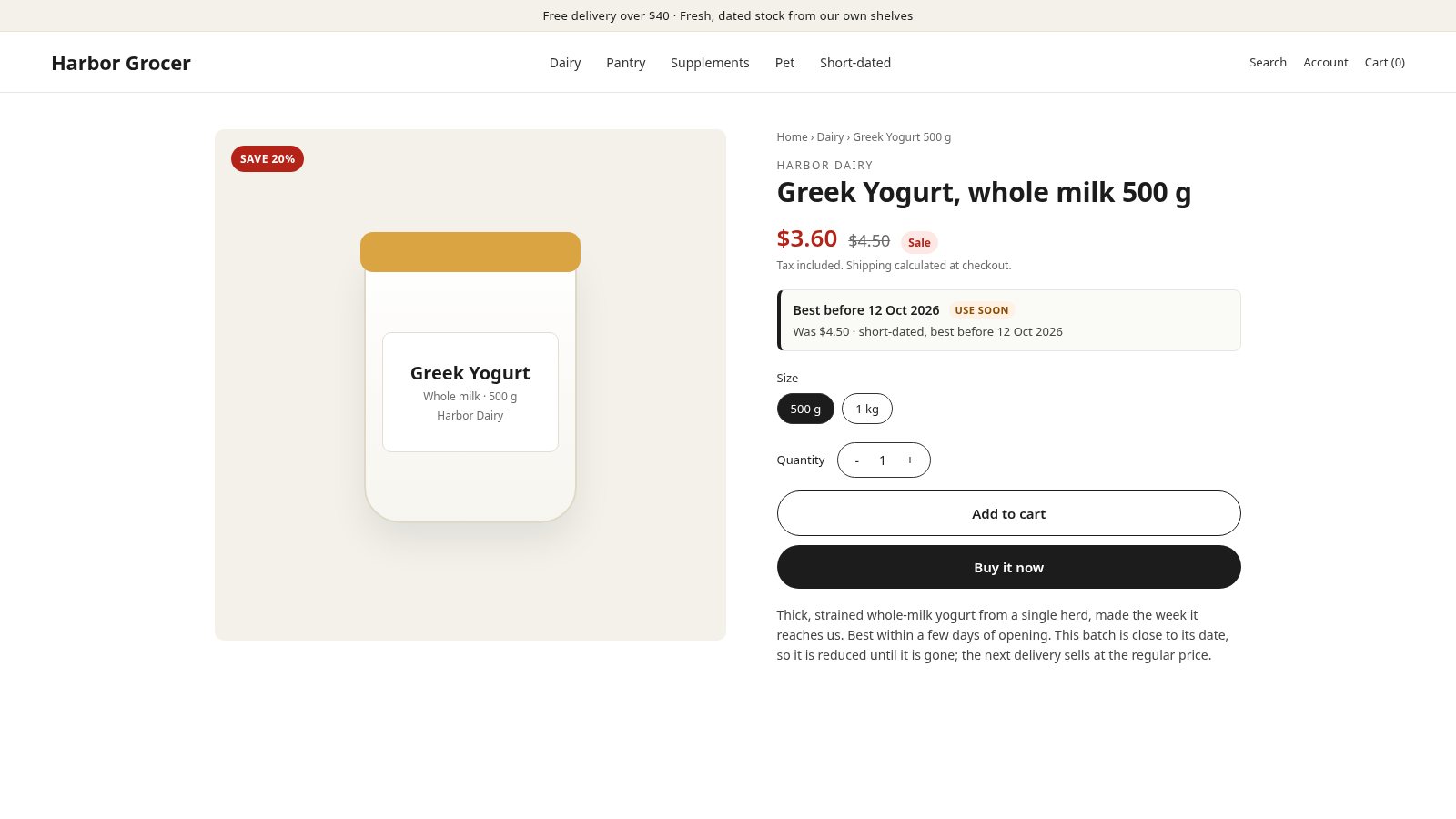
The price, and a reason. The Best before block adds Was $4.50 · short-dated, best before 5 Oct 2026 under the price while a markdown runs, and every product with an active markdown carries the tag datima-expiring, which builds a Clearance collection by itself.
What it deliberately does not do
- It never compounds: 40 % is off the regular price, not off the 25 % price.
- It never touches a variant you have priced by hand since it last wrote, or one you excluded.
- It never writes while Off, and switching Off puts every price back.
- It never discounts a product without a batch: no date, no markdown.
Related guides
- Show the best-before date on your product page
- A Clearance collection that fills itself
- Write expired stock off, and Shopify's inventory follows
- Getting started: the five-minute path
Questions? support@datima.ai · Last updated 14 October 2026