
The tag Datima sets and clears
While automatic markdowns are live, every product with a reduced price carries the product tag datima-expiring. The tag goes on when the first markdown on the product is applied and comes off the moment the last discounted batch is sold, written off, or the price goes back. Datima adds and removes only its own tag, only on products it has managed; your other tags are never touched.
A tag is something Shopify can build a collection from. So a Clearance or Short-dated collection that fills and empties itself is one condition away.
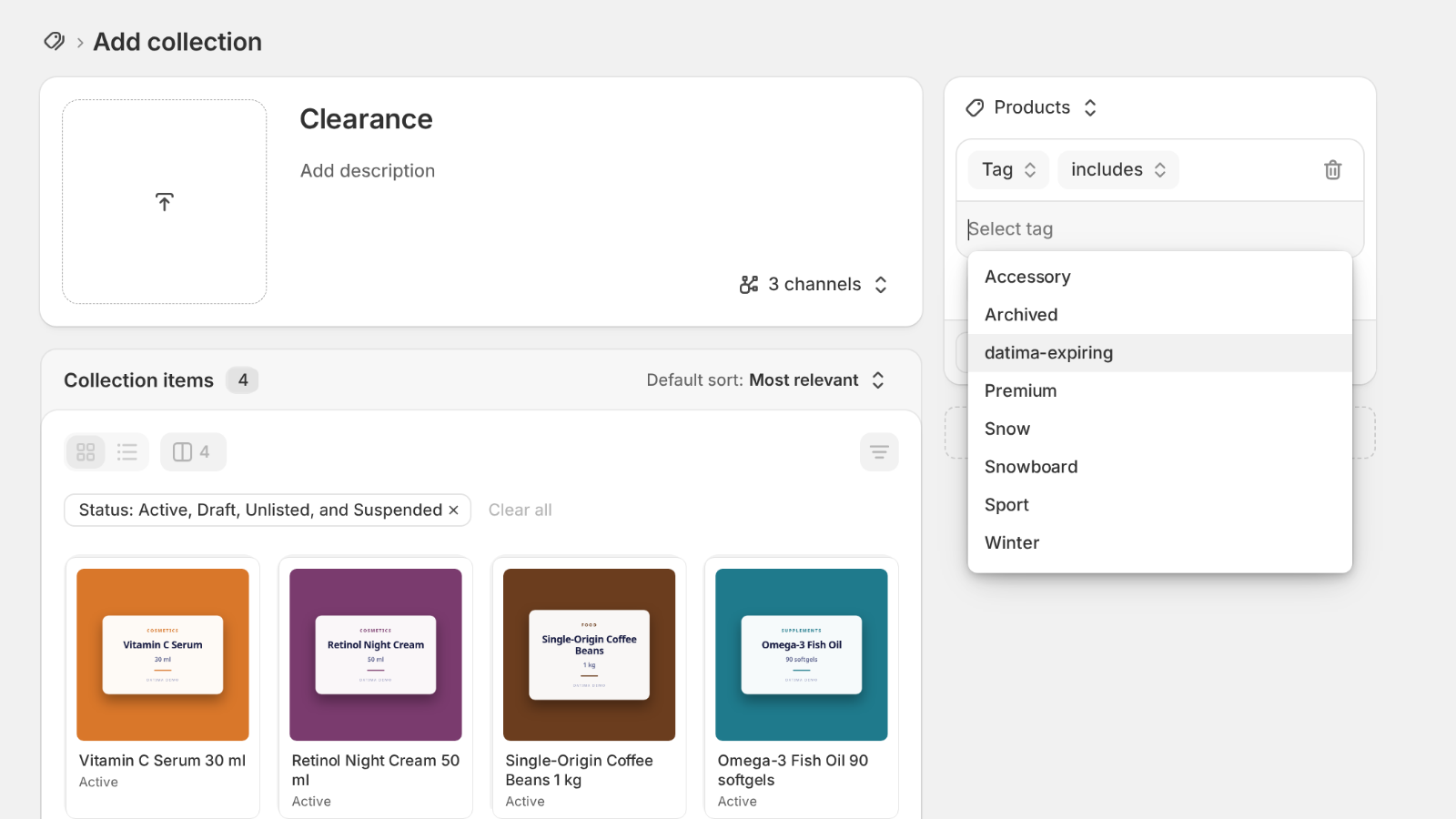
Create the collection
- In your Shopify admin go to Products → Collections → Create collection.
- Name it Clearance, Short-dated or Use soon — whatever your shoppers will understand.
- Under Collection type choose Automated.
- Set one condition: Tag · includes ·
datima-expiring. The tag appears in the picker once a product carries it; typing it works before that. - Save, and add the collection to your menu (Online Store → Navigation).
What the collection page shows
Each product in it shows its reduced price and, if your theme shows compare-at, the regular price struck through — the markdown rules can fill compare-at while a markdown runs so that it does. On the product page the Best before block says why: Was $4.50 · short-dated, best before 5 Oct 2026. Both lines follow your storefront language.
More than one collection
Conditions combine. Tag includes datima-expiring and Product type equals Dairy gives a chilled clearance shelf; add Vendor equals … for one supplier's short-dated lines. The tag is the same; the collection decides the cut.
When markdowns are switched off
Switching the Markdowns tab to Off puts every price back and clears the tag from every product within minutes, so the collection empties by itself. It fills again when you switch back to Live and a batch is within a tier. Nothing to clean up by hand.
Related guides
- Automatic markdowns: prices that follow the batch
- Show the best-before date on your product page
- Getting started: the five-minute path
Questions? support@datima.ai · Last updated 14 October 2026