
What shoppers see
A line under the price: Best before 7 Nov 2026. Inside a window you choose — 30 days by default — it adds Use soon. On a product without a recorded date the block shows nothing at all, so it can sit on every product page without a gap. While an automatic markdown runs, it adds the reason: Was $4.50 · short-dated, best before 5 Oct 2026, or the percentage when the product has its own compare-at price.
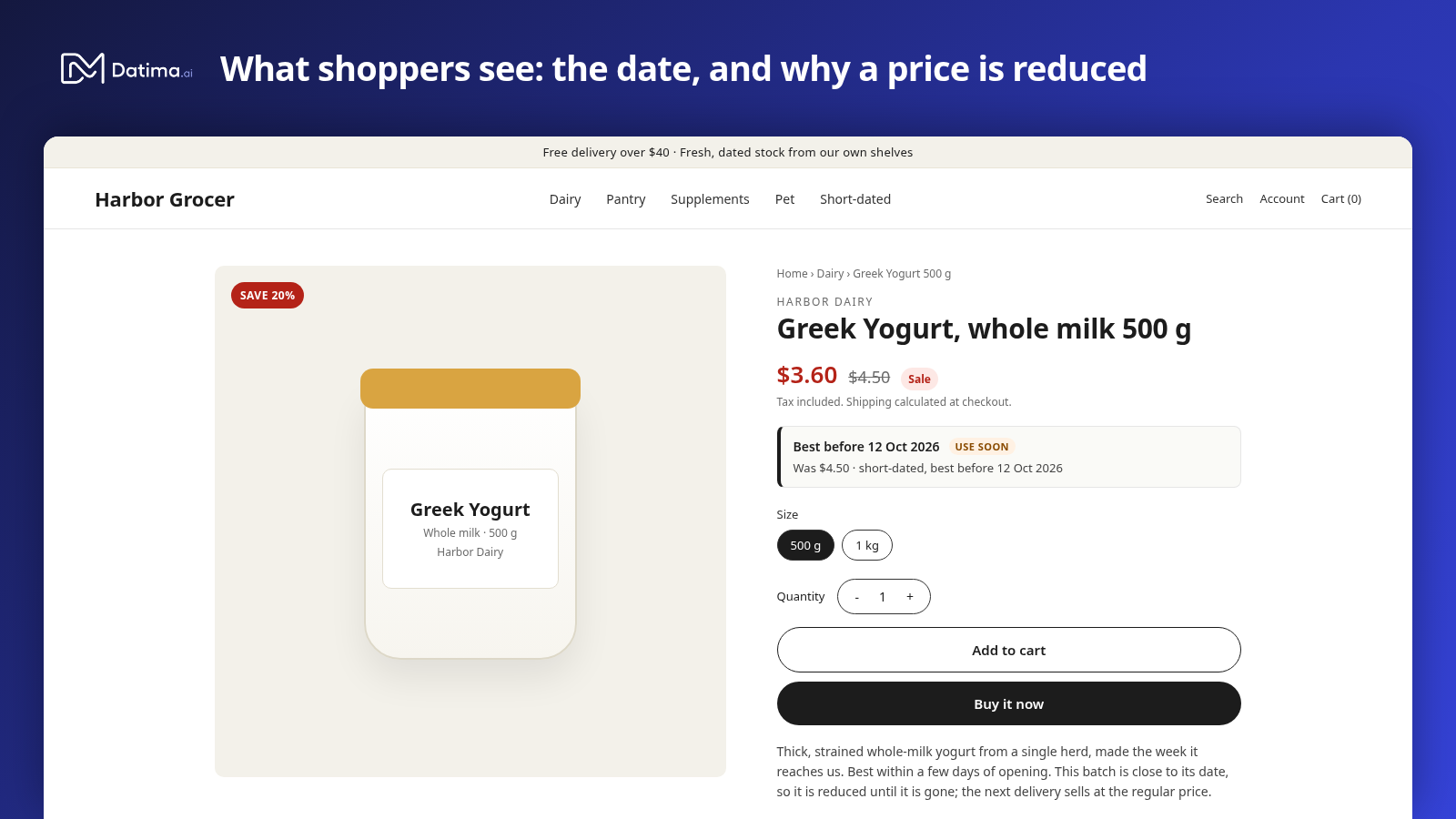
Add the block
No code. In your Shopify admin go to Online Store → Themes → Customize, open a product page, choose Add block in the product information section and pick Best before under Apps. Drag it where you want it — most stores put it right under the price — and Save. Themes built on Online Store 2.0 (Dawn and its relatives) all take app blocks; if yours does not offer Add block, it is an older theme.
Settings
| Setting | What it does |
|---|---|
| Show label | Shows or hides the words before the date. |
| Label | Your own words instead of Best before — Use by, Expires, Freshest until. |
| Date format | Short (7 Nov 2026), long (7 November 2026) or ISO (2026-11-07). |
| “Use soon” window | Days before the date within which the note appears; 0 to 90, 30 by default. 0 turns it off. |
| “Use soon” text | Your own words for the note. |
| Show the markdown line | The Was … · short-dated line while a price is reduced. On by default. |
| Advanced: namespace, key | Which metafield the block reads. Leave at expiry / earliest_expiry unless you have moved it. |
Variants
The block follows the variant the shopper selects. Pick the 500 g size and it shows that variant's date; pick the 1 kg and it changes, without a page reload, in themes that swap the price the same way. Each variant's date is its earliest batch with stock.
Language
The block's words come in your theme's languages — English, German, French and Spanish — and the date follows the storefront locale. The label and the “use soon” text you type are yours and stay as typed.
While a price is reduced
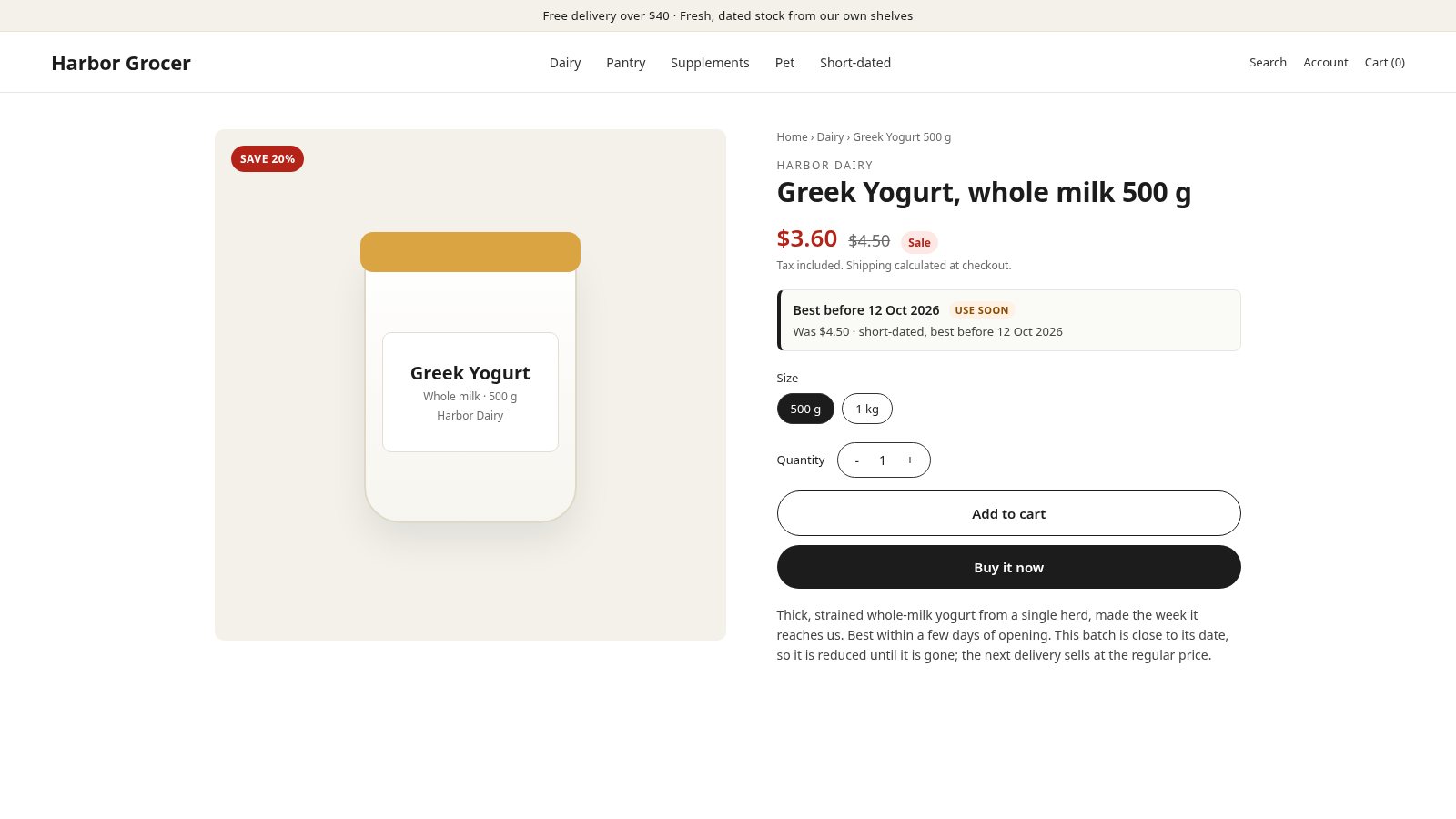
When automatic markdowns lower a price, the block explains it on the same line, so a lower price never looks like a mistake. The struck-through regular price above it is your theme's compare-at display; the markdown rules can fill compare-at while a markdown runs so that it shows.
The metafield behind it
The block reads one thing: the variant metafield expiry.earliest_expiry, which Datima keeps current as batches are added, sold and zeroed. Anything else in your store can read it too — a Shopify Flow that tags products expiring within a month, a packing-slip app, a custom section. Removing the app removes the block and stops updating the metafield.
Related guides
- Automatic markdowns: prices that follow the batch
- A Clearance collection that fills itself
- What happens on a sale: first expired, first out
- Getting started: the five-minute path
Questions? support@datima.ai · Last updated 14 October 2026