
One location: nothing to do
If your store has one Shopify location, skip this guide. Leave the location blank on every batch; sales deduct from the soonest batch, the dashboard adds everything up, and the write-off uses your only location without asking.
Several locations: what a batch's location means
A batch can carry one of your Shopify locations — the warehouse, the shop floor, the 3PL. It says where these units are, and it changes two things: which batch a sale is taken from, and where a write-off takes the units out.
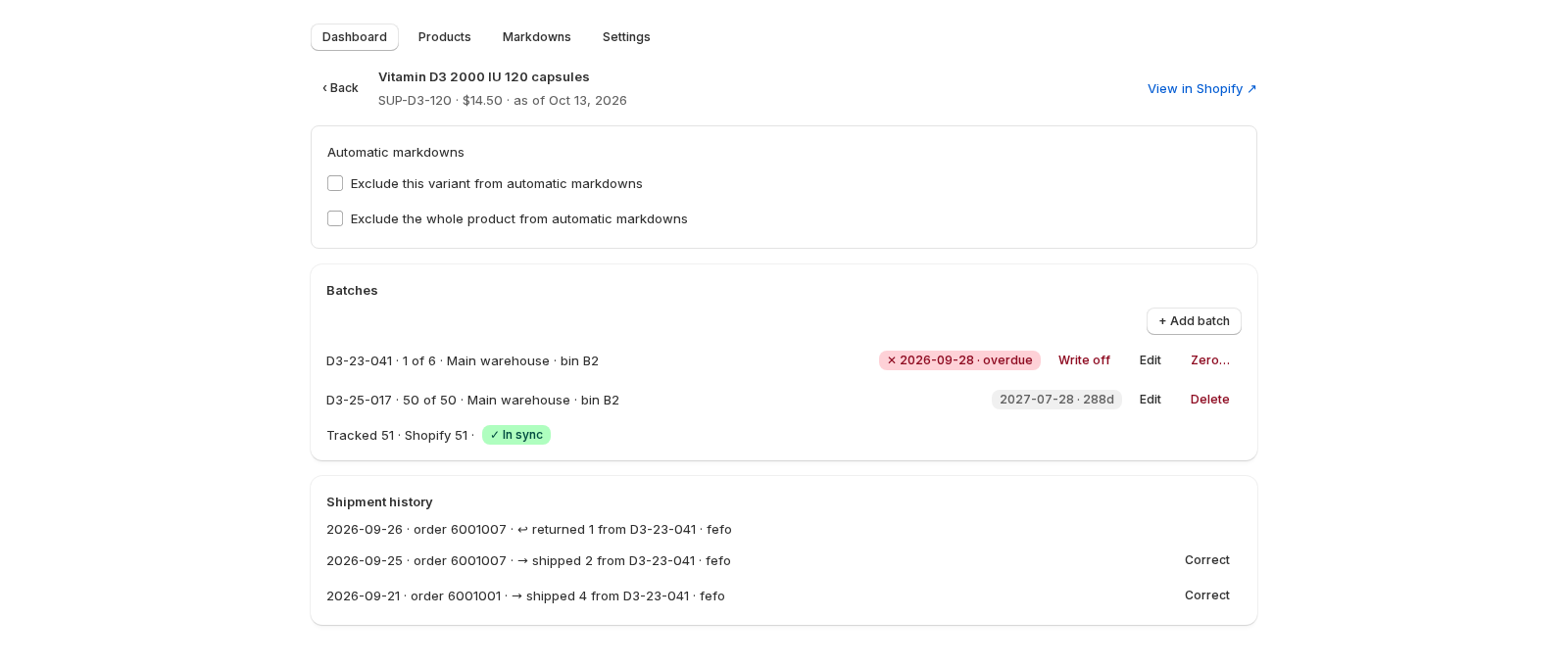
Batches added by hand have no location. To put a batch at one, use the import's location column with the location's exact name as it appears in Shopify — Main Warehouse, Shop Floor. A name that matches none of yours is a row error, caught in the review step, never a silent guess.
Which batch a sale takes
When an order is fulfilled from a location, Datima looks for the soonest-expiring batch in this order:
- Batches at the location that fulfilled the order.
- Then batches with no location.
- Never a batch recorded at a different location.
So a sale shipped from the shop floor cannot consume a batch you recorded at the warehouse; if nothing at the shop floor and nothing unplaced covers it, the sale shows as unmatched for that product — a prompt to record the batch that is actually there, not a wrong deduction. If Shopify does not say which location fulfilled, every batch is eligible and the soonest wins.
Refunds go back to the batch they came from, whichever location it was at.
Bins: the shelf inside the location
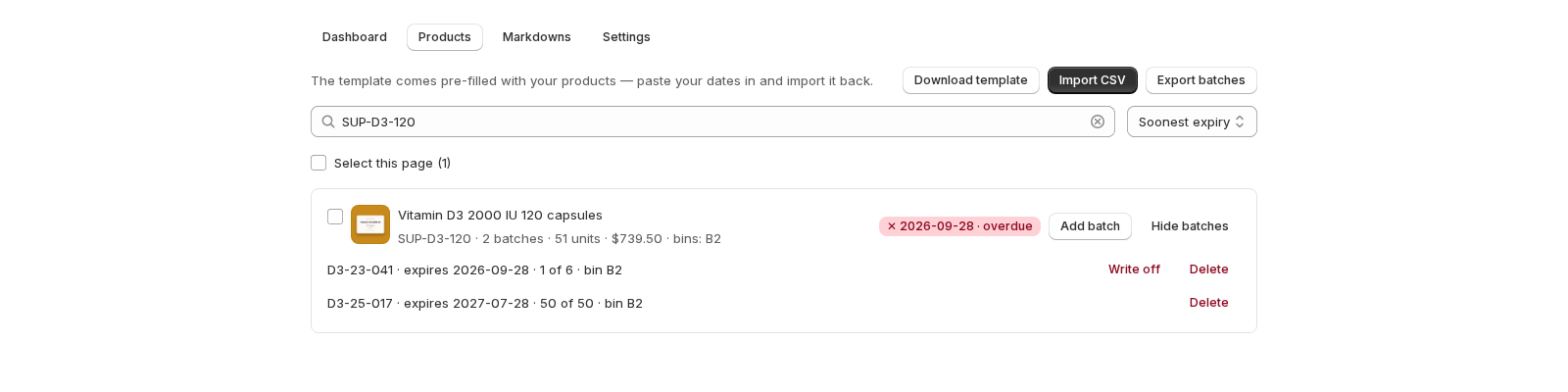
Location says which site; bin says which shelf. It is free text on the batch — COLD-A-11, Overflow 3 — shown on the product row as bins: COLD-A-11 and on each batch line, for whoever picks. When the expiring batch is in COLD-B-04 and the fresh one is in overflow, the picker knows; that difference is where rotation actually fails. Bins do not change which batch a sale takes.
What the dashboard shows
The cards add every location together: Within 30 days is all your stock within 30 days, wherever it sits. The product's page lists each batch with its location and bin, and the Tracked · Shopify comparison is per product across all locations.
Write-offs and locations
A write-off removes the units from Shopify's inventory at the batch's location. A batch with no location in a store with several asks you which location to adjust, every time: Datima will not guess which shelf lost the stock. Restocking a written-off batch puts the units back at the same location.
Moving stock between locations
Datima does not move batches between locations. When stock is transferred in Shopify, re-import the batch with the new location (the row updates the batch when the date and lot code match) or add it at the new location and zero the old one. The shipment history keeps both.
Related guides
- What happens on a sale: first expired, first out
- CSV import and export: your whole catalog in one spreadsheet
- Write expired stock off, and Shopify's inventory follows
- Getting started: the five-minute path
Questions? support@datima.ai · Last updated 14 October 2026