
Blog
Expired stock in Shopify: write the batch off, and the inventory follows
5 October 2026 · Datima.ai
Monday, 9 am. The dashboard says six jars of the 500 g yogurt expired over the weekend. Shopify says you have 46 available — the 40 fresh ones and the 6 you cannot sell. Nothing stops a customer ordering the forty-first jar this afternoon. The usual fix is a quiet inventory edit in the admin, with no reason attached and no link to the batch, done by whoever notices first. Often nobody does, and the gap stays until stocktake. An expired batch is a number Shopify is still counting.
Two ledgers, one shelf
A store that tracks expiry dates per batch keeps two ledgers of the same shelf. Shopify holds one number per variant per location: how many are available. Datima holds the batches behind that number — six received in June with an October date, forty received last week good until spring — and moves them as orders ship and refunds come back (the earlier post covers how). While every batch is in date, the two ledgers agree. The day a batch expires they still agree, and that is the problem: both are now counting units that should not be sold.
Datima has always shown the moment the two drift apart (“5 units unaccounted for” on the product page). What it could not do until now was change Shopify's number itself. It can now, for exactly one reason.
What Write off does
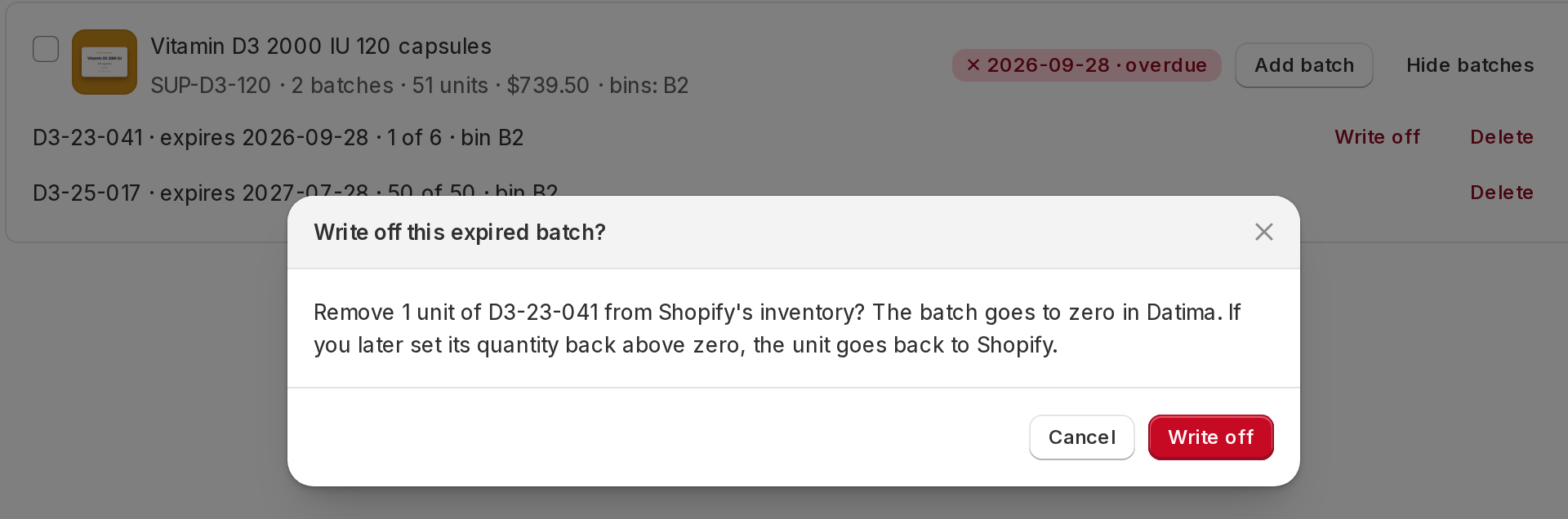
On an expired batch that still holds units — in the product list with the batches opened, or on the product's own page — there is a Write off button. One press, one confirmation, and two things happen in one operation:
- Shopify's inventory goes down by the batch's remaining units, at the batch's location, through a normal inventory adjustment. It appears in Shopify's inventory history with the reason shrinkage and a link back to the batch in Datima, so an accountant six months from now can see what the six units were and why they left.
- The batch goes to zero in Datima, with its own audit entry, and the row reads Written off −6 · Main warehouse from then on.
Both ledgers move by the same number, so the out-of-sync indicator does not flicker, and the dashboard's expired count drops because the batch is gone, not because it was hidden. Shopify is asked first; if it refuses — the item is not stocked at that location, or inventory tracking is off for the product — nothing changes on either side and the dialog says why in Shopify's own words.

If you were wrong
Sometimes the six jars turn out to be four, or the date on the carton was misread. Edit the batch and set its remaining quantity back up, and Datima puts that many units back into Shopify first, capped at what it took out; it never returns more than it removed. Changing only the expiry date moves nothing, and a batch you zeroed yourself, without the button, is never touched — the app reverses its own write-offs and nobody else's.
The permission, asked for when you need it
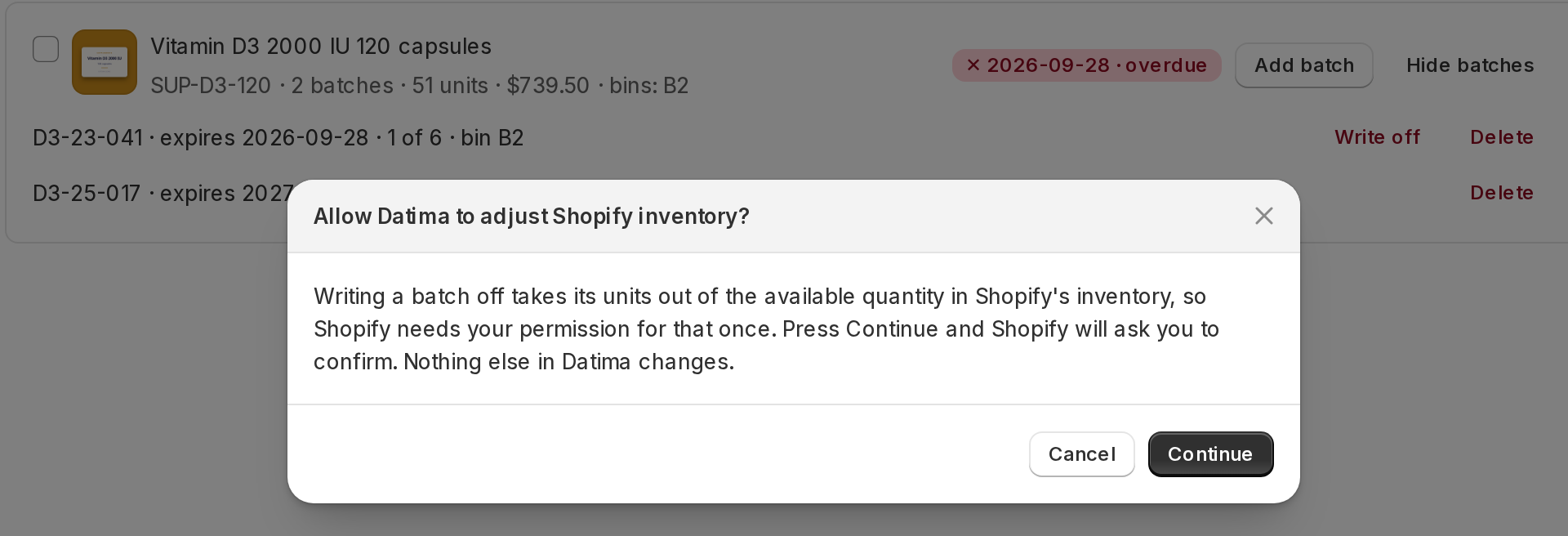
Writing inventory is a Shopify permission of its own, and most stores never need Datima to have it. So it is not part of installing the app and it is never asked for when you open it. The first time you press Write off, Datima explains in its own words what the permission is for; press Continue and Shopify shows its usual permission dialog over the app. Allow it and the write-off dialog follows at once. Decline, and everything else in the app keeps working — the next press simply asks again.
What it deliberately does not do
- It is not automatic. Nothing is written off without a press. Inventory is money, and a batch that expired on paper is sometimes still on the shelf being used up in the kitchen or sold at the counter. An automatic mode is on the list, as an option you turn on, once enough merchants ask for it.
- It does not hide the product. A product whose only remaining stock has expired still shows on the storefront, at the regular price, with Shopify's own inventory now at zero for that batch. Unpublishing or drafting what is left is the next piece of this work.
- It does not guess the location. A batch recorded at a location is adjusted there; a batch without one in a store with several asks you which. A product Shopify does not track inventory for is refused, with the reason.
Where to find it
Products → Show batches on any row with an overdue badge, or the product's page. The guide has the three-step version. It is part of the free plan, like everything else in Datima; if your Monday dashboard has an expired row on it, install the app, record your batches, and the button will be waiting on the first one that goes over.