
Blog
Batches without an expiry date: one product, two kinds of stock
15 October 2026 · Datima.ai
A store that installed Datima this week sells olive oil, olives and conservas — all of it dated — and, on the same shelves, the dishes, boards and gift boxes they are served on. Their first message to support was not about the dates. It was: I have a mix of products with and without expiry date, and I would like to control the batches. Until this morning the app had one answer for the second half of that range: none. A batch was a date and a quantity, by definition, and a product that carried no date could not have one.
Why the date was required
The premise of the app is that a product does not have an expiry date; a batch does. Every feature was keyed on that date: the dashboard's windows, the order in which sales come off stock, the weekly digest, the markdown ladder, the write-off button, the best-before line on the product page. A batch without a date had nothing to say to any of them, so the form refused it. That rule was honest about what the app did, and it was wrong for the merchant above, because batch control is not only about expiry. It is about knowing which delivery is on the shelf, how many of it are left, and which lot a customer's complaint traces back to. None of that needs a date. All of it needs a name for the batch — and the lot code on the carton is that name.
The rule now
A batch needs a quantity, and either an expiry date or a lot code. Dated goods carry both, as they did. Stock without a date carries the lot code alone: leave the date field empty — the hint under it says Leave it empty for a batch tracked by its lot code only. — type the code and the quantity, save. A batch with neither is refused, and the message says why.
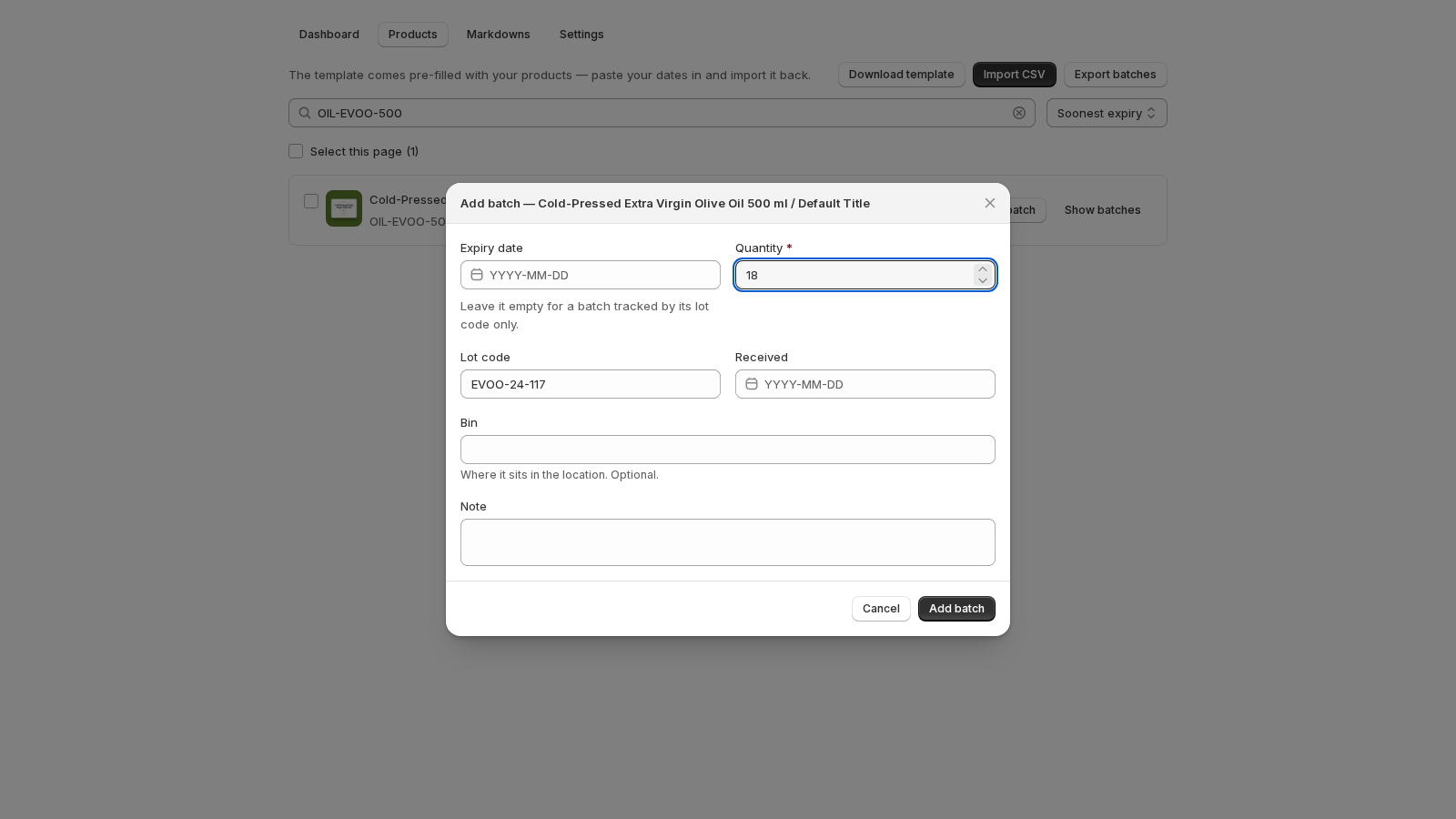
One product, both kinds
The interesting case is not a product that never has a date. It is a product that has both: two dated batches of olive oil from the spring pressing, and a third that came in with a lot number and no printed date. Which one does a sale take?
The same rule as before, extended by one clause. Dated batches go first, soonest date first — first expired, first out, which is the whole reason the app exists. Batches without a date are drawn down only when every dated batch of that product is empty, in the order they were recorded. The product page lists them in exactly that order, so what you see is what the next order takes. Refunds go back where they came from.
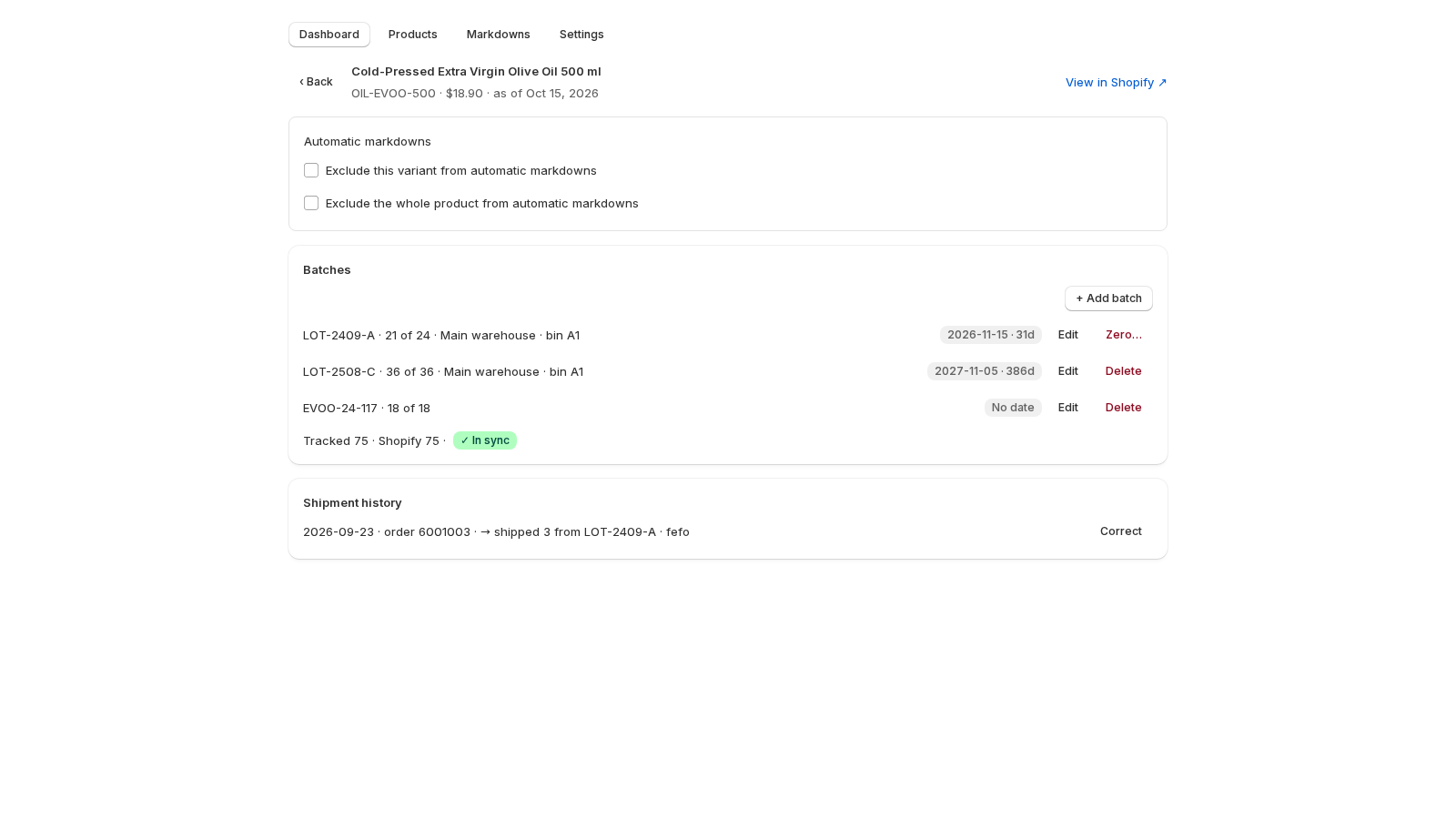
What an undated batch never does
Everything that reasons about a date keeps ignoring batches that have none, on purpose. An undated batch is in no dashboard card and no digest. It is never marked down, because the markdown tier comes from the earliest dated batch. The best-before block on the storefront shows the earliest dated batch, and nothing at all for a product that only has undated ones. Write off appears on a batch past its date, and an undated batch is never past its date; when it is gone, you zero or delete it. The bulk bar's Shift dates by… skips it. The dated half of a mixed range loses nothing.
The dashboard gained one line for the other half: beside the product list heading, 3 items without a date counts the products holding at least one undated batch in stock, and filters the list when you click it, the way a card does. The fifth card, which used to be called No expiry date, is now No batches yet — the words had come to mean two different things, so one of them moved.
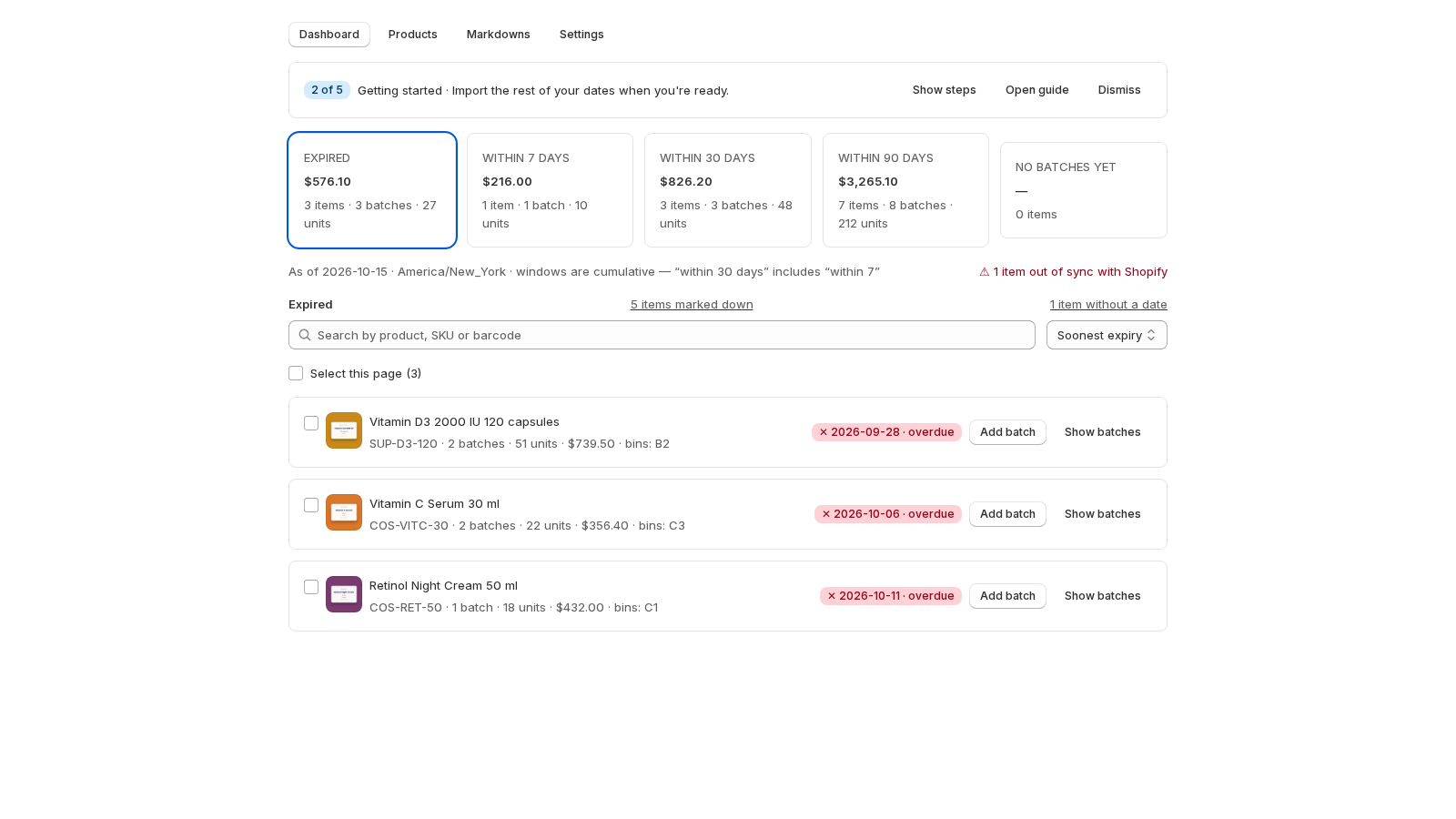
Spreadsheets, and a button we did not plan
The CSV import follows the same rule: fill lot_code and leave expiry_date empty and the row imports as an undated batch; a row with neither fails the review with one of 'expiry_date' or 'lot_code' is required while the rest of the file goes in. The export writes an empty cell back, so a round trip changes nothing.
One thing we did not plan: taking a date off a batch. Shopify's date field offers no way to clear a day once one is picked, and deleting the text by hand leaves a half-typed date behind. So the batch dialog grew a Remove date button under the field, and refuses a half-typed date instead of sending it. The merchant who asked for the feature found both within the hour, on the test build, before anything shipped.
Why one of the two is still required
We considered requiring nothing beyond the quantity. A batch with no date and no code is a number with no name: you could never tell two of them apart, never say which one a complaint is about, never correct the right one later. The lot code is the batch's identity when the date is not. Requiring one of them keeps every batch nameable, which is what batch control means.
Where to find it
It is live for every store, nothing to switch on: Products → Add batch, leave the date empty. The guide has the details, screens included. If your range is mixed and you have been keeping the undated half in a notebook, install the app and record both halves in the same place.